
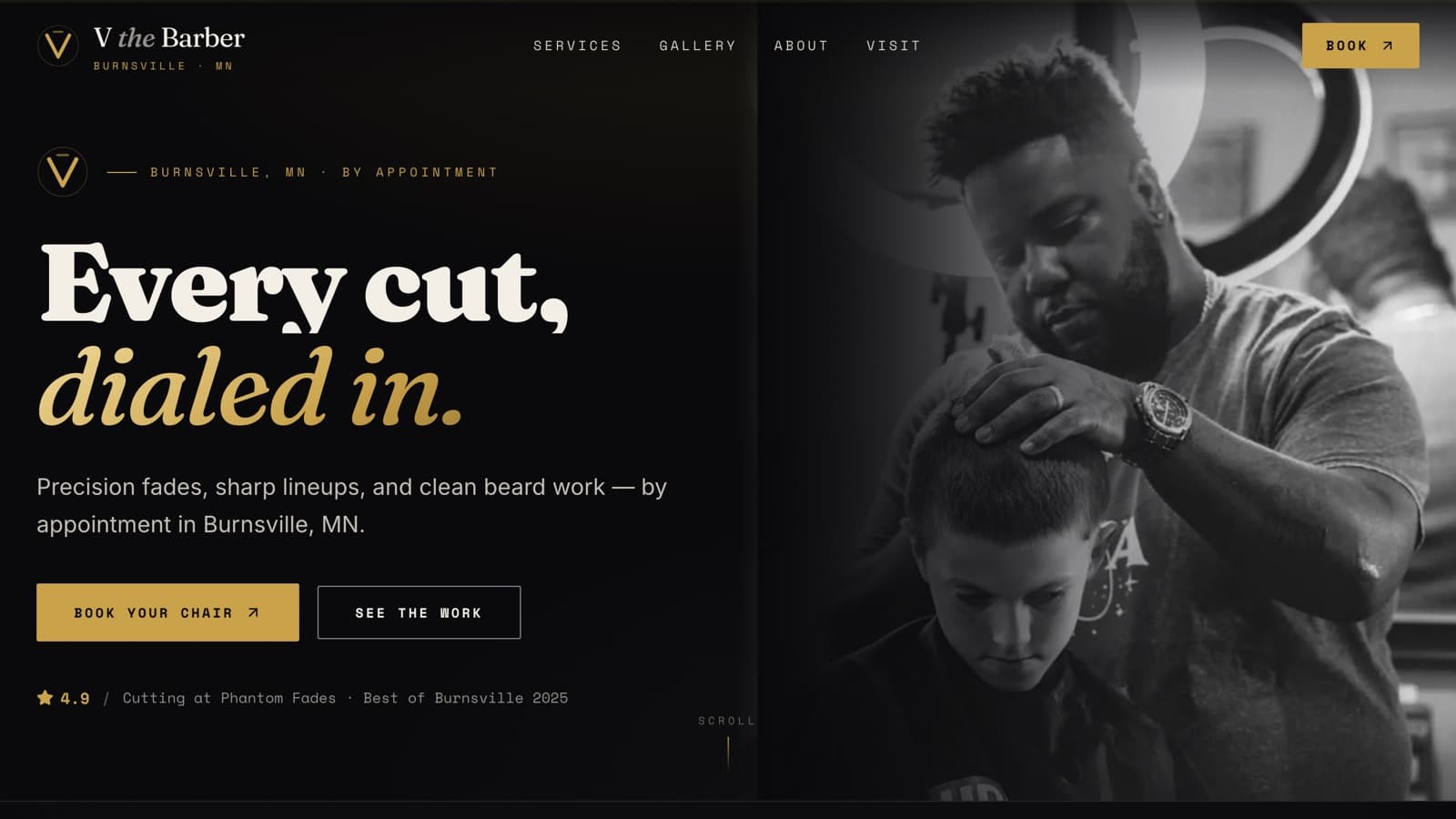
vthebarber.com
V the Barber
Independent barber · Burnsville, MN
An independent barber in Burnsville, live on his own domain with working Square booking 5 days after the first build.
Read the buildVisit live vthebarber.com (opens in a new tab)
Barbershop website design for Twin Cities barbers, stylists and beauty studios: a Book Now button that opens the booking app you already use, your best work up front and prices posted before anyone asks.
You see your site before you pay.
Websites from $500 · Care from $75/mo · No long-term contract
When online booking is off or buried in an Instagram bio, clients message got anything Saturday? and wait. You answer between cuts, or you don't, and they book with whoever answered first.
A feed mixes your sharpest cuts with promos, memes and work from two years ago. New clients decide from the first few photos they see, so your best work has to come first and load fast.
With no posted prices, people message to ask or assume you're out of their range and keep scrolling. A service list with starting prices and appointment lengths settles it before they leave.
Chair renters build a clientele that follows the barber, not the shop. If clients can only find you through the shop's site and the shop's Google listing, changing chairs means starting over. Your own domain and booking link go where you go.
Independent barber · Burnsville, MN
An independent barber in Burnsville, live on his own domain with working Square booking 5 days after the first build.
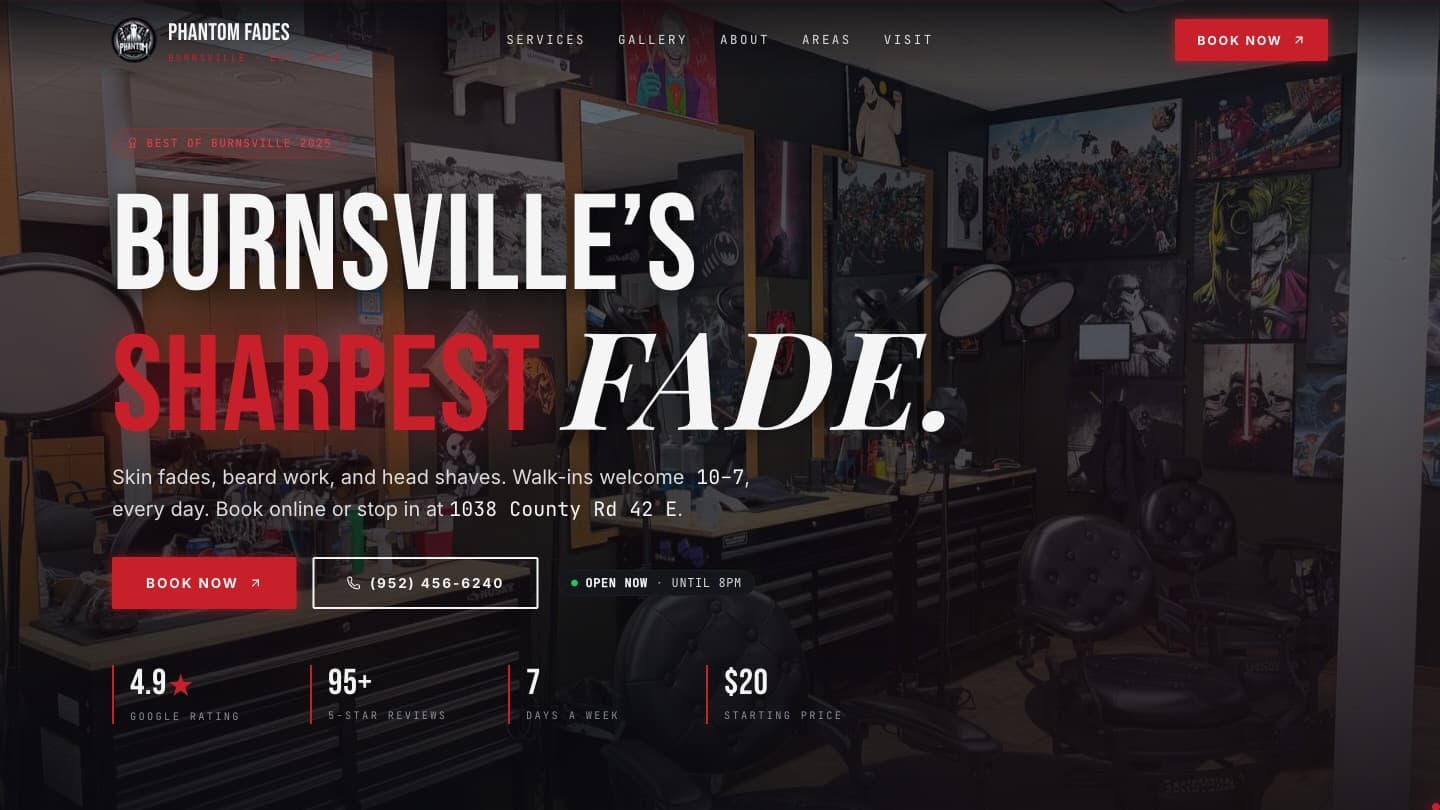
Barbershop · Burnsville, MN
A Burnsville barbershop with a Booksy button on every service page, a live Open Now badge and 8 city pages, all live the day they signed.
A Book Now button on every page, pinned to the bottom of the screen on phones, that opens Square Appointments, Booksy or Vagaro. Each service page gets its own Book button into your booking app, tagged with the service it came from, the way Phantom Fades' pages hand off to Booksy.
Every service with a starting price and how long it takes, grouped the way clients think. Kids' cuts, add-ons and fills get their own lines, not a footnote.
Your own photos, cropped and compressed to load fast on a phone, in a lightbox that works by keyboard as well as by thumb. V the Barber's site pairs a 15-cut gallery with a before/after slider you drag to compare.
The site checks the day and time against your real hours and shows if you're open right now, plus walk-in hours if you take walk-ins. Phantom Fades' badge runs on their Mon–Sat 10:30am–8pm, Sun 11am–7pm schedule.
Two printed cards: one opens your Google review form, the other opens booking. Hand them over at checkout and they go home in a pocket, so the review happens on the client's own time and nobody is put on the spot.
One page per nearby city, each written for that city and marked up with Service, FAQ and Breadcrumb structured data. V the Barber has 7 under a service-area hub, and Phantom Fades had 8 go live the day they signed.
In a multi-chair shop, each barber or stylist gets a page with their photos, specialties and a button that opens their own calendar. Square can limit a booking widget to specific staff, and Booksy lets clients pick a barber or take whoever is free.
Most first visits start on a phone. Someone searches barber near me, fade near me or braids in Burnsville, opens two or three places from the map and compares photos, rating, drive time and the next open slot. Whoever shows good work and an opening in the fewest taps tends to get the booking.
The other path is a referral. A friend passes along your name and the new client searches it. For an independent barber or stylist, that name search matters more than any keyword, so your own site should be what it finds.
A good shop site answers five questions faster than a DM can.
| The client is wondering | Where the site answers |
|---|---|
| Can I get in this week? | A Book Now button that opens live availability in your booking app |
| What will it cost? | The service menu, with a starting price and length for every service |
| Are they any good? | A gallery of your own work and a link to your Google reviews |
| Are they open right now? | An open or closed badge driven by your real hours |
| Where do I go? | Address, map link, parking, and the suite number if you have one |
You don't need a new booking system, and we won't move you to one. Square Appointments, Booksy and Vagaro each offer a way to put booking on your own website, so your calendar and client list stay put. If booking needs to talk to other tools, like texting clients from our CRM platform, that's a booking integration we scope with you.
Check this before anything else
Open your booking link on a phone that isn't logged in to your account and try to book. Before V the Barber's site launched, Square's online booking was switched off, so nobody could book him online. In Square it's one setting, Enable online booking, and it's easy to miss. If your Google Business Profile has a booking button, check that it opens the same booking page.
When two shops look equally sharp, reviews tend to settle it. Before his site, V the Barber's Google profile had 1 review. Six days after his QR review card went out (June 16 to June 22, 2026), it had 8, averaging 4.9 stars. He earned that reputation in his chair; the card just made asking easy.
Google's review policy (opens in a new tab) has three rules that matter for a card like this. Don't pressure anyone to review while they're still in the shop, don't hand the card only to the regulars you know will rave, and don't offer anything in return, so no free lineup for a five-star review. A card given to everyone and read at home keeps all three.
The card sends people to your Google profile because that's where a new client sees your stars: next to your name in the map results they compare. The Google Business Profile checklist covers the rest of the profile.
People drive for a good barber. Both of our Burnsville clients have pages for the suburbs around them, and Lakeville, Apple Valley, Eagan, Savage, Prior Lake and Rosemount are on both lists. Each page gives Google, and the person searching, a specific town to match. A page for a town has to say something true about that town, or we don't build it. That rule runs through all of our local SEO work.
The site changes with how you work. A chair renter needs a personal brand, one booking link and a domain that stays theirs.
Let the site answer the DMs.
Answer four quick questions about your business and we build a free preview of your homepage on your real shop. Review it on your phone. Love it: half to finish, half at launch, with websites from $500 and care from $75/mo. Not for you: you owe nothing.
You see your site before you pay.
Start with the site and a care plan. Once it's live, local SEO keeps your Google profile and city pages current, and our CRM platform adds missed-call text-back and review requests for the hours when your hands are full.
Websites start at $500 for a typical five-page site, and care plans start at $75/mo for hosting, security, updates and 2 content edits a month. You see a free preview of your homepage first: love it, and it's half to finish and half at launch; if not, you owe nothing. Larger salons and multi-location shops are scoped on a short call, and our pricing page has the details.
Your booking app runs the calendar. The website is what comes up when someone searches your name or a barber in their town, and it's where you decide which photos, prices and words come first. We keep your app and point every button at it, and the guide to a website vs. a Facebook page covers the social-page version of this question.
Your domain name, your content and your photos are always yours, so when you change chairs we update the address, hours and booking link on your site and your clients still find you. That's the best argument for a chair renter having a domain of their own instead of living on the shop's.
No writing. We draft the copy from a short call and your service menu, then you fix anything that doesn't sound like you. Photos should be your own work, and a recent phone camera is fine; we crop and compress them and tell you which cuts are missing.
Days, not months. V the Barber went from first build to live on his own domain with working Square booking in 5 days, and Phantom Fades went live on a new domain with 8 city pages the day they signed. Most of the timeline is how quickly you review the preview; how a build runs shows every step, and our guide to how long a small business website takes has the rest.
We make asking for reviews easy: a direct review link, printed QR cards and, if you want them, review requests by text from our CRM platform. We can't promise a number, and we never buy reviews or trade anything for them, because Google prohibits both.
Tell us about your business and we build a preview of your homepage, free. You review it on your phone. Love it, and we finish the build. Not for you, and you owe nothing.
Websites from $500 · Care from $75/mo · No long-term contract
Tell us about your business
Four quick questions, about two minutes.
We build a preview of your homepage
On your real business, free.
You review it on your phone
Love it: half to finish, half at launch (websites from $500). Not for you: you owe nothing.
Care plan from $75/mo
Month-to-month.